If I Worked in Construction Today, These Are the Five AI Workflows I'd Build First

If I Worked in Construction Today, These Are the Five AI Workflows I'd Build First
A practical guide for construction and property professionals
I'll start with a confession. I've probably spent more hours than I'd care to admit this year trying to make AI save me time. The irony isn't lost on me that there have been days where I've spent three or four hours trying to automate something that would have taken fifteen minutes to do manually.
If you've been experimenting with ChatGPT, Claude, Microsoft Copilot or any of the other AI tools, you've probably had a similar experience. You ask it to improve an email, summarise a document or help prepare for a meeting and think, 'This is brilliant.' Then curiosity gets the better of you, you discover agents and automations, disappear down a rabbit hole and, before you know it, half your weekend has vanished.
Over the past few months, I've been building AI search agents and workflows for my recruitment business. The objective sounded simple: remove repetitive work, organise information better and free up more time to spend with clients and candidates. The reality has been considerably more complicated.
Recruitment is a people business. Construction is a people business. Neither runs purely on process. Context, relationships and judgement matter. AI is incredibly capable, but teaching it to understand nuance takes far more effort than most people realise.
That doesn't mean it isn't worthwhile. It absolutely is. What I've learnt is that the biggest productivity gains usually don't come from trying to build the perfect AI assistant. They come from identifying repetitive work that quietly consumes 10 or 15 minutes throughout your day and finding a better way to do it.
So, if I were back working as a Project Manager, Contract Administrator, Site Manager or Construction Manager, these are the five practical workflows I'd start with.
1. Never Lose the Value of Another Meeting
We've all walked out of a meeting thinking everyone was aligned, only to discover a fortnight later that six people left with six different interpretations of the same conversation. Nobody is necessarily being difficult. That's simply how people work.
This is probably the easiest AI win available today. Record your meetings using Microsoft Teams, Otter or Fireflies, then use AI to turn the conversation into something genuinely useful. Rather than filing away another transcript you'll never read, ask it to summarise the decisions, list the actions and owners, flag commercial or programme risks, identify unanswered questions, draft the follow-up email and prepare the agenda for the next meeting.
The real value isn't the transcript itself. It's creating a searchable history of decisions. Six months later, instead of wondering whether an issue was already discussed with the structural engineer, you can ask the question and find the answer.

Martin's Tip: Treat every meeting as future knowledge, not just today's conversation. Every meeting contains information you'll probably need again; AI simply makes it much easier to find.
2. Start Every Day Knowing What Matters Most
Construction has never suffered from a shortage of things to do. The challenge is deciding which three of the thirty things on your desk actually deserve your attention first.
One workflow I've started experimenting with is using AI as a prioritisation coach rather than another task manager. Every morning you already have plenty of information available: your calendar, inbox, task list, project deadlines and the follow-ups you've been meaning to chase.
Instead of asking AI to create another to-do list, ask it to organise the noise. What genuinely needs attention today? Which issue creates the biggest commercial or programme risk if it is ignored? What have you promised someone but not followed up? Which meeting needs preparation before you walk into the room? Which delayed decision will affect other people?
I'm not asking AI to make the decisions for me. I'm asking it to help me see the workload more clearly, so I can use my judgement where it adds the most value.

Martin's Tip: AI shouldn't tell you what to do today. It should help you decide what deserves your attention first. There's a big difference.
3. Communicate Faster Without Sounding Like AI
Most people start by asking AI to write emails. Personally, I think that's the wrong way to look at it. The blank page is often the hardest part, particularly when you're preparing RFIs, variation notices, progress claim correspondence, client updates or a difficult email that needs the right balance of firmness and professionalism.
I find it more useful to treat AI as a drafting assistant. Explain the facts in your own words, let it prepare the first version, then review it properly. Correct anything technical or commercial, adjust the tone and make sure it sounds like something you would actually say.
The same approach works for reports, meeting agendas, project updates, toolbox talks and most written communication. You're still responsible for the message and the decision. AI simply gets you past the blank page much faster.
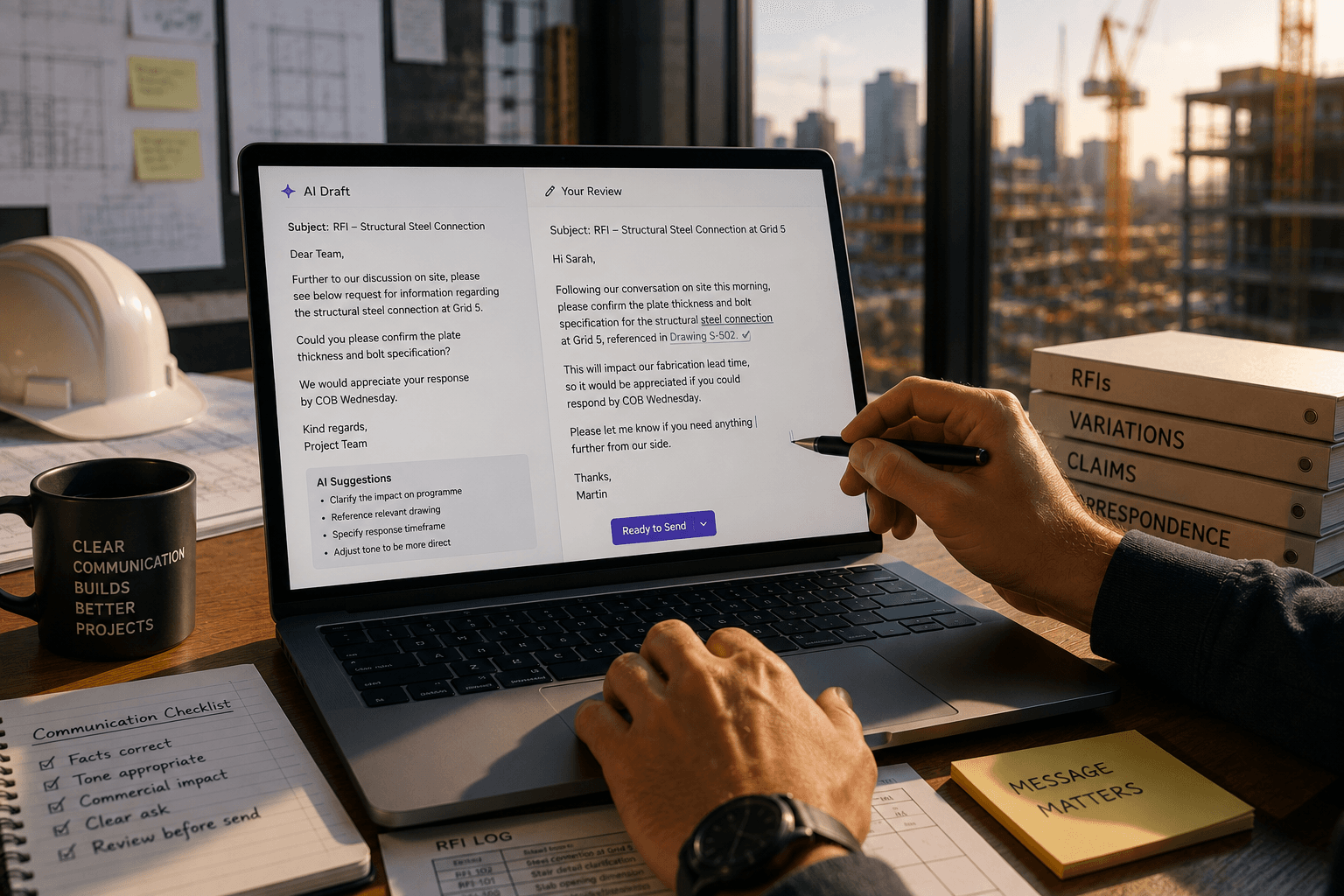
Martin's Tip: If an email could cost money, damage a relationship or be forwarded around the business, read every word before pressing Send. AI is your drafting assistant, not your communications manager.
4. Build a Knowledge Library Your Future Self Will Thank You For
Every construction project creates an enormous amount of valuable information, but very little of it becomes usable knowledge. Meetings record decisions, RFIs explain why something changed, variations tell the story of how the project evolved, and programme reviews capture lessons that could apply to the next job. Once practical completion arrives, much of that information disappears into folders nobody opens again.
This is where AI becomes genuinely exciting. Imagine being able to ask whether the business has dealt with a similar design issue before, which project it occurred on, what solution was agreed, whether it worked and what the team would do differently next time.
Instead of relying on one person's memory or spending an hour searching through old folders, the knowledge is available when it's needed. I don't think every company needs to build a sophisticated knowledge platform tomorrow, but it is worth changing how we think about project information. The documents being created today aren't only helping deliver the current job. They could also make the next one better.
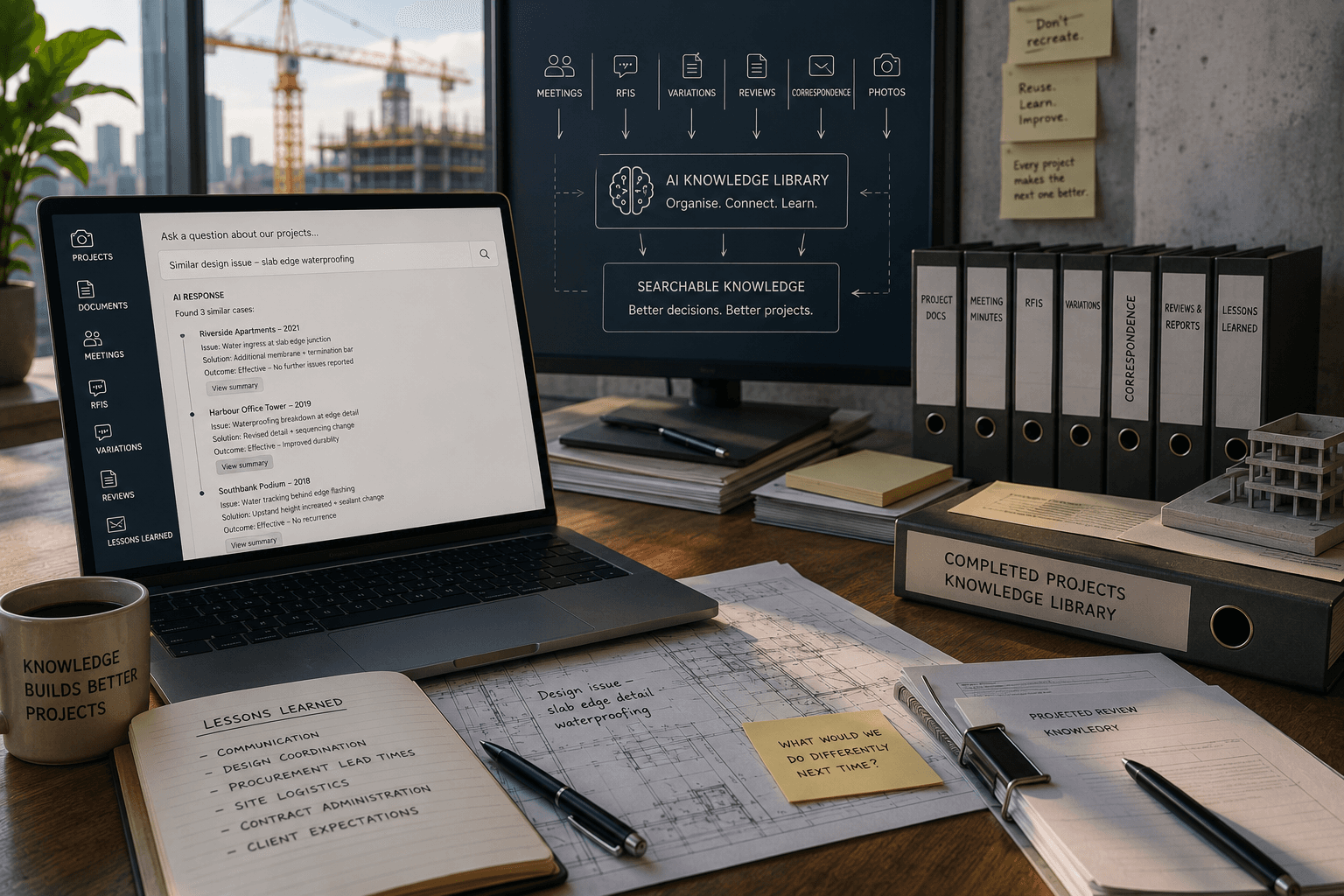
Martin's Tip: If you spend more than five minutes looking for information you know already exists somewhere, that's a workflow worth improving.
5. Use AI to Challenge Your Thinking, Not Replace It
This has probably become my favourite use of AI, and it has very little to do with asking it for answers. The longer I've experimented with it, the less interested I've become in what it thinks I should do, and the more interested I've become in what it thinks I might have missed.
Before an important meeting, a difficult commercial conversation or a significant project decision, upload your notes and ask AI to challenge your thinking. Ask what assumptions you're making, what risks you haven't considered, what argument someone who disagreed might make, what information is missing, and what questions should be answered before reaching a conclusion.
Sometimes it confirms you're heading in the right direction. Sometimes it identifies a risk you hadn't considered. Occasionally it asks a question that changes the entire conversation. For experienced leaders, I think that's one of the most underrated uses of the technology. It isn't replacing experience or judgement. It is helping experienced people think more broadly before making an important decision.

Martin's Tip: Don't ask AI to make your decisions. Ask it to challenge them. You'll often learn more from the questions than the answers.
A Couple of Words of Caution
As enthusiastic as I am about AI, there are two areas where I'd be particularly careful. Firstly, I wouldn't allow it to communicate directly with clients, consultants, subcontractors, candidates or colleagues without reviewing everything first. Drafting is one thing. Automatically sending is another. Relationships matter too much, and AI still gets things wrong. Sometimes the mistakes are obvious. More often they're subtle, which is more dangerous because they sound perfectly reasonable.
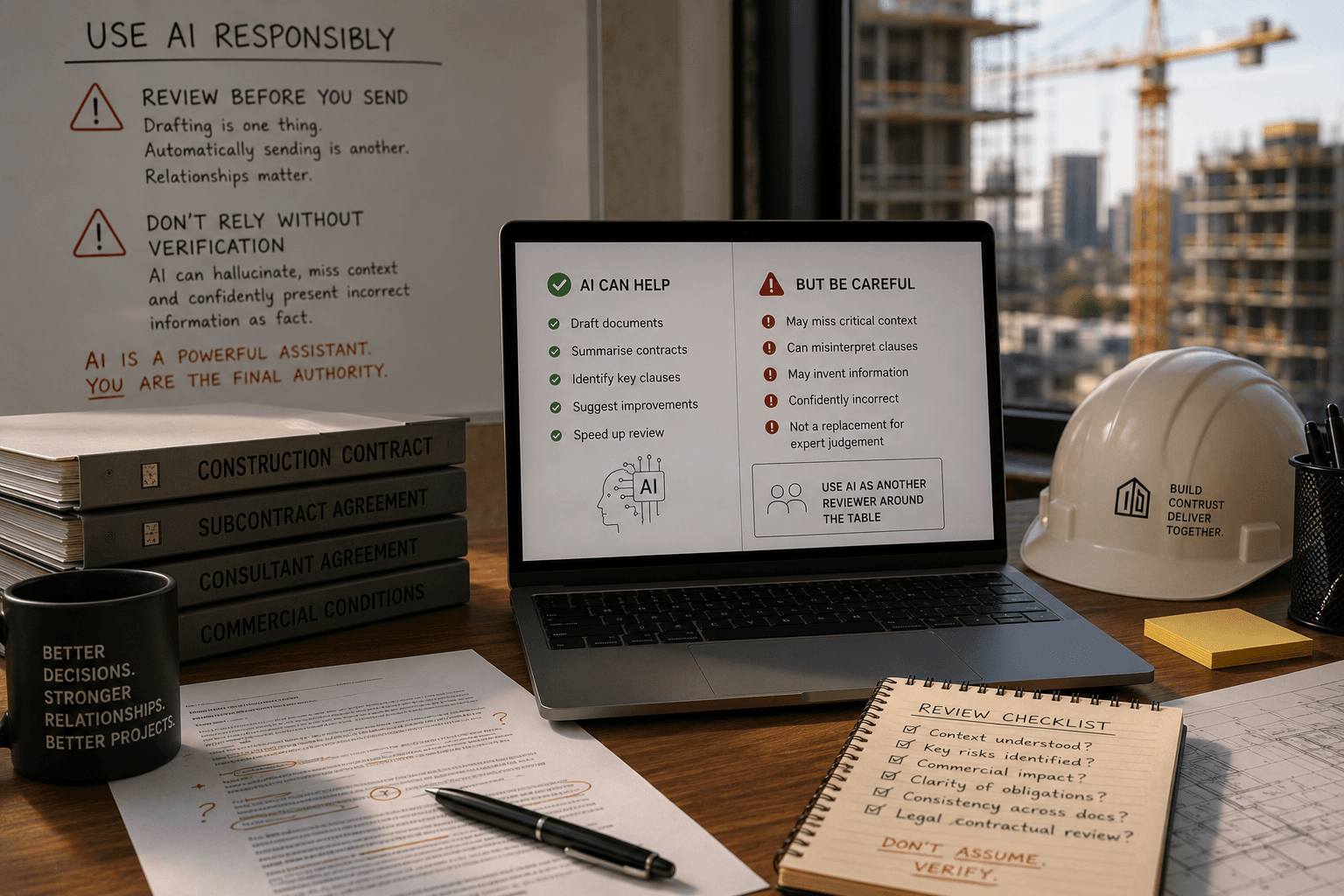
Secondly, be careful when using AI around contracts and commercial documentation. This is something Callum Cryans and I discuss in an upcoming episode of The Building Talks Podcast. AI has enormous potential to improve contract review and productivity, but large language models can hallucinate, miss context and confidently present incorrect information as fact. Use AI as another reviewer around the table, not the final authority.
One Final Tip: Stop Typing and Start Talking
One habit has probably saved me more time than anything else: I've largely stopped typing information into AI and started talking to it instead.
Whether I'm using ChatGPT, Claude or another large language model, I'll hit the microphone and explain the situation as though I'm speaking to a colleague. I can ramble, change direction halfway through, remember something else I should have mentioned and generally talk in a way I'd never bother trying to turn into a perfectly written prompt.
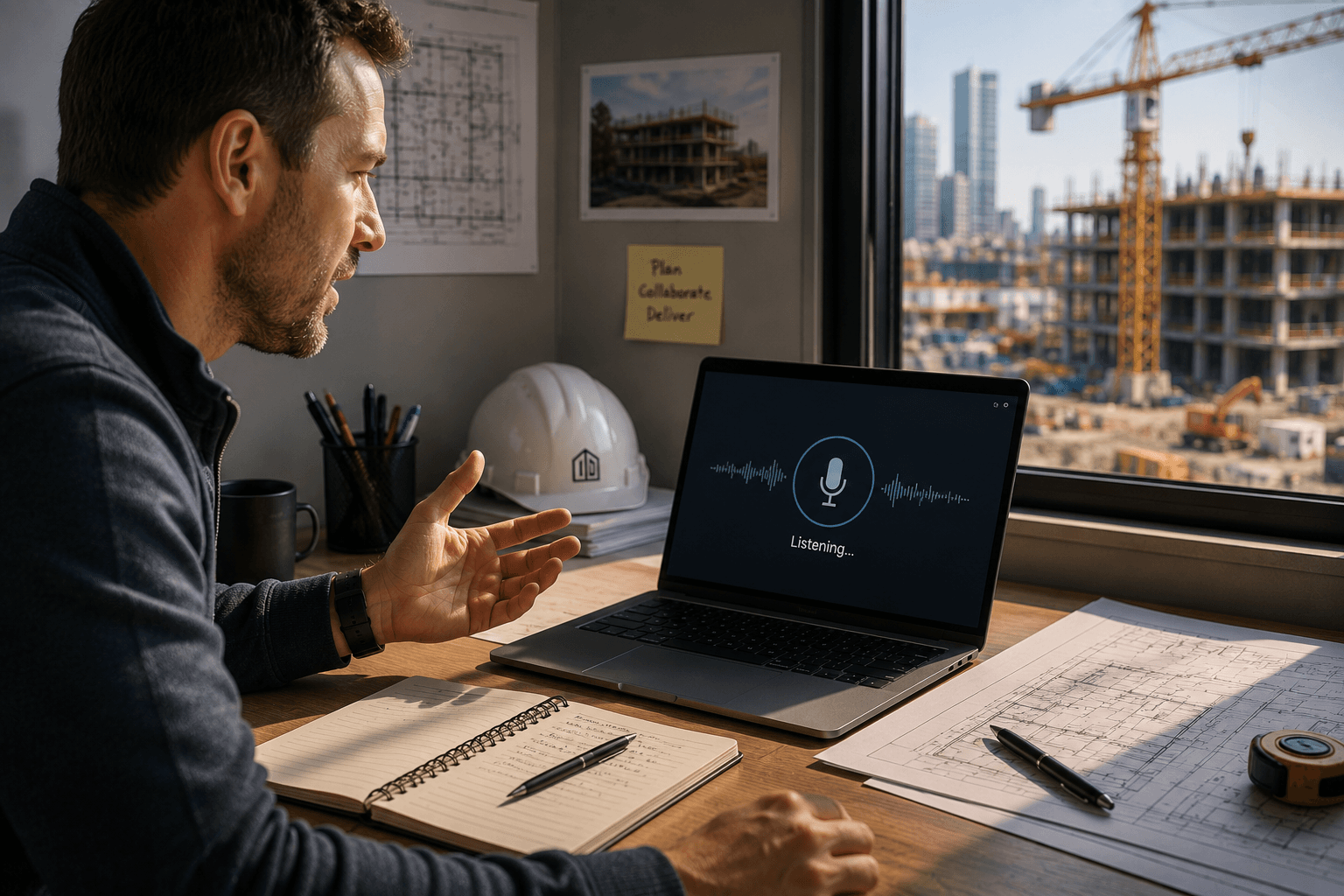
The voice recognition is remarkably accurate, and AI is usually very good at working out which information matters, removing the irrelevant parts and turning the conversation into something useful. It saves typing endless background information and often captures context I would otherwise leave out.
It may not do much for our writing skills, but it certainly helps with process and efficiency. If you're new to AI, don't overthink how to phrase the perfect prompt. Just start talking.
Final Thoughts
After spending far too many hours experimenting with AI, I don't think the winners over the next five years will necessarily be the people building the cleverest agents. I think they'll be the people who quietly remove ten minutes here, twenty minutes there and half an hour somewhere else. Those small gains compound remarkably quickly.
So don't start by trying to build Jarvis. Pick one workflow. Get it working properly. Make sure it genuinely saves time. Then build the next one.
And when AI gives you back thirty or sixty minutes a day, don't spend all of it creating more administration. Spend it talking to your team, walking the project, solving problems, building relationships or, if you're lucky, getting home a little earlier.
For me, that's what AI should be doing: giving good people more time to do the parts of their job that experience, judgement and relationships will always do better than a machine.